
Files & Folder Manager
Organise your files, create an unlimited number of folders, categorise, and tag items to develop a structure that aligns seamlessly with your club's philosophy. This provides you with a straightforward and effective means of communication.
Request a free trial today!
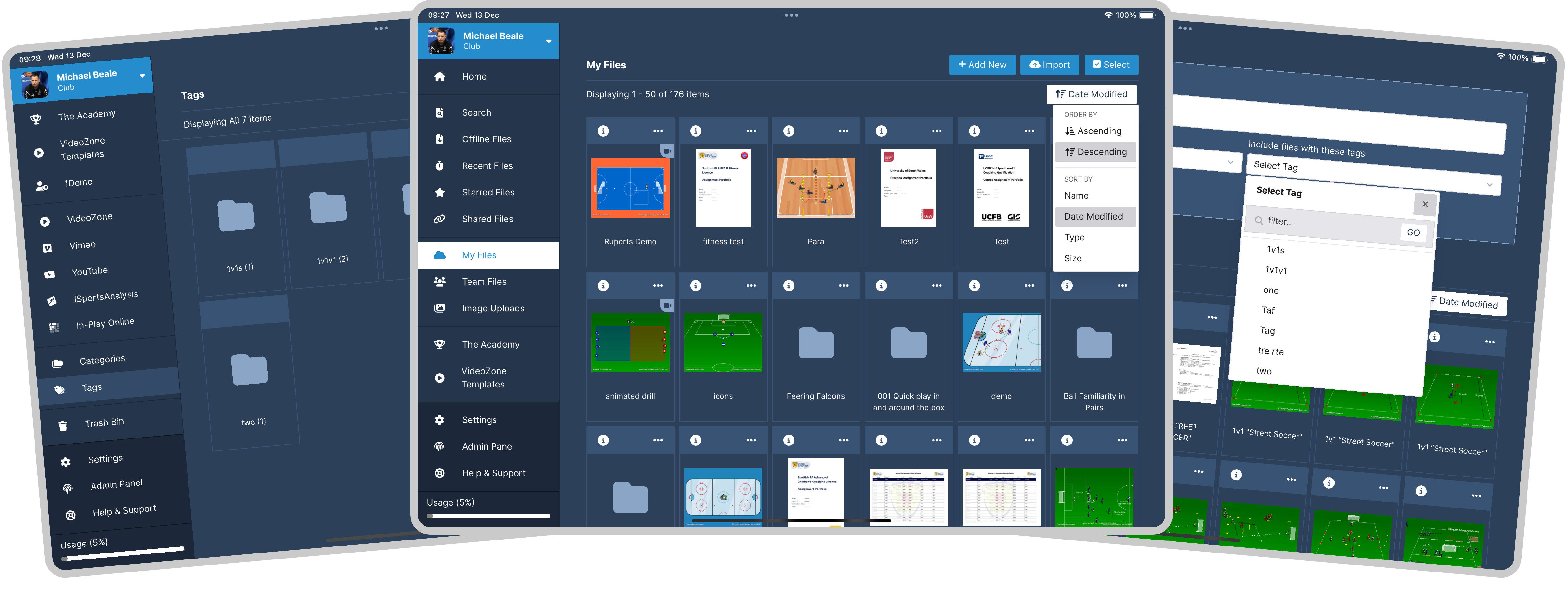
Effortlessly maintain organisation by centralising all your files in one location. Seamlessly explore our user-friendly menu to quickly locate any file. The AscCloud® file system provides features such as starring, tagging, and categorizsing files, coupled with efficient folder management and advanced search capabilities, ensuring you can effortlessly find any file you need.
Personal Files
Your 'My Files' section safeguards your plans and diagrams from view of your team members, granting you complete control over who has access to specific content.
Team Files
'Team Files' serves as the central hub for collaborative internal files with your teammates, organised to align with your club's unique philosophy.
Starring
By starring files them, you effortlessly include them in your dedicated 'Starred Files' section for quick retrieval whenever you need them.
Categories
Categories offer a convenient method to group related content, ensuring your files remain organised and easily navigable for quick access and retrieval.
Tagging
Tags are similar to categories, but they are generally used to assign more specific keywords to your content.
Searching
Our advanced search functionality allows your to find files & folders and also filter content by category and / or tags.
Recent Files
We automatically record recently updated files and incorporate them into your 'Recent Files' section, allowing you to quickly return to where you left off.
Shared Files
Choose to share your session with team mate, parents or publicly for anyone to see - you can even password protect or set expiry dates.